The dashboard no longer just keeps the conversations: it reads them. It now shows which ad each patient came from, what they ask about and what they book. The clinic can also keep its inventory and sales, the intake app is on the App Store, and we are taking new clinics again.
Which ad each patient came from
Whoever runs the clinic's social media asks the same question every week: which ad brings real patients, and not just messages?
In Reports, "How they found us" now splits the patients who came from an ad by where they tapped it: Facebook, Instagram or WhatsApp Status. And a new section, "Ads", shows each ad on its own:
- Its picture and a link to the post.
- How many people wrote from that ad.
- How many kept the conversation going after the first reply.
- How many booked.
- Which treatments they asked about.
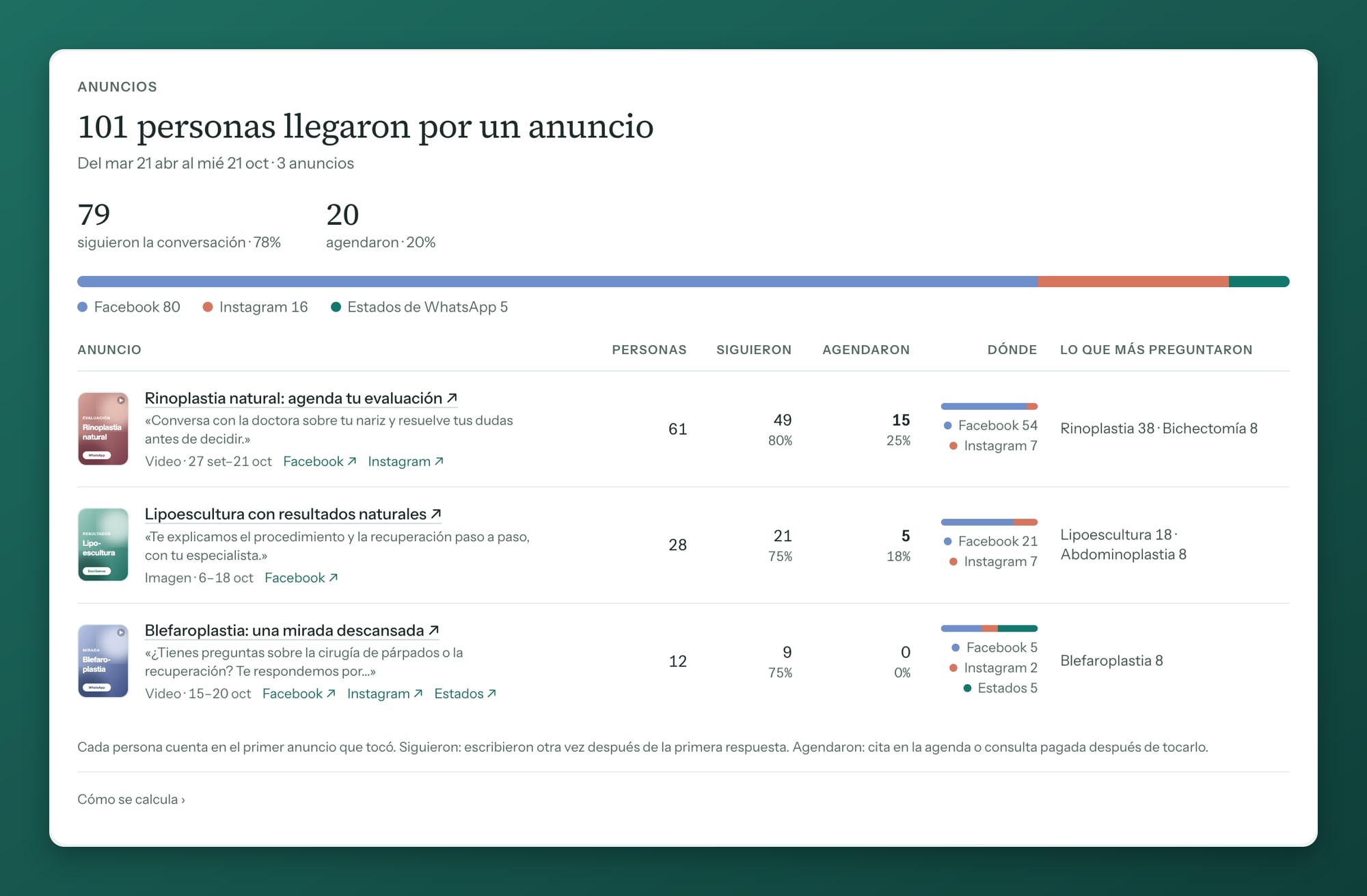
It also counts the patients who came from an ad before this change. So you can see which ad is worth keeping and which to switch off.
The agent fills in the reports
Every morning, the previous day's conversations are read. The reports come from them, without anyone at the clinic writing anything down:
- What they ask about most: which treatments on the price list each patient asks about, in their own words, like "Rhinoplasty (drooping tip)".
- What they book most: the treatments booked most often in the agenda.
- People per month: who wrote for the first time, who came back and who paid.
- Who reached out: which region or district they write from, and which ages ask for each treatment.
- How they found us: an ad, a referral from another patient, or other channels.
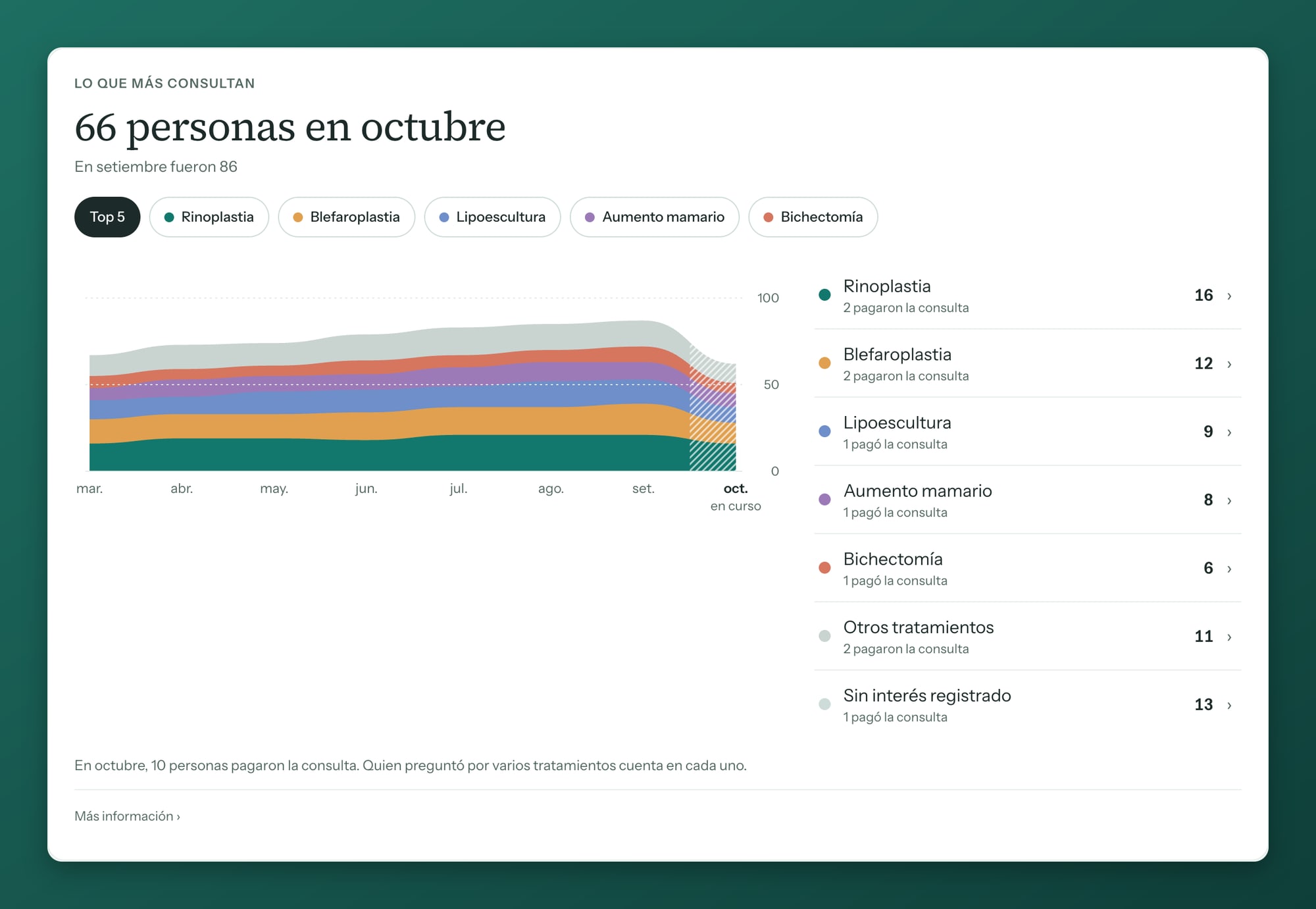
Everything can be seen month by month or week by week. Between what people ask about and what they book is the conversation still to be had.
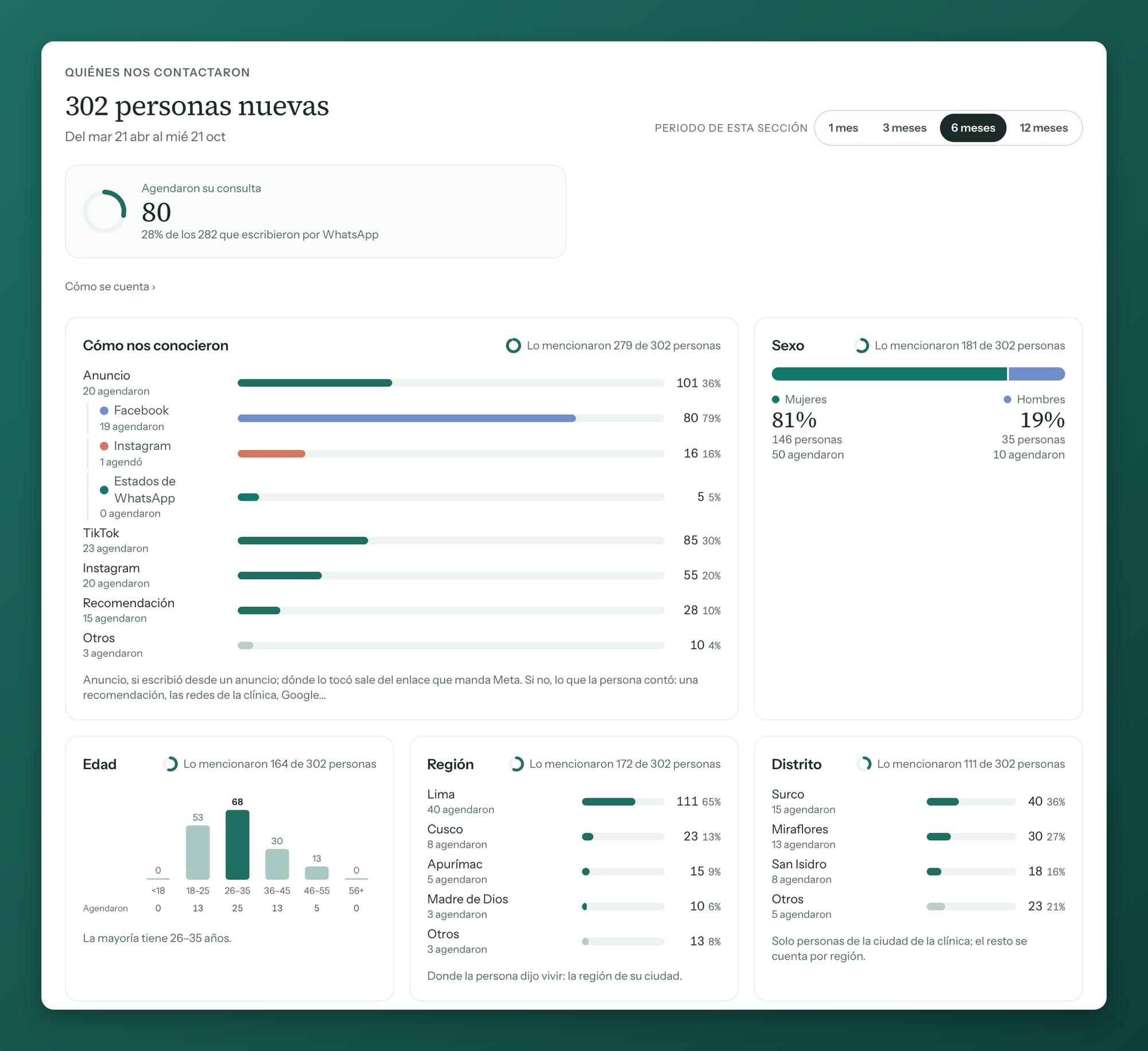
The same reading fills in each patient's record with what they said in the conversation: name, email, ID, city, age, occupation and how they found the clinic. It only fills empty fields, and anything unclear is marked "Verify" so someone at the clinic can confirm it.
The clinic's inventory and sales, in the dashboard
In issue #3 we said we were building product sales. It is now in the dashboard.
The clinic loads its products and stock in "Inventory". When selling at the front desk, you pick the patient and add products and services. The stock goes down on its own and the day's total adds up.
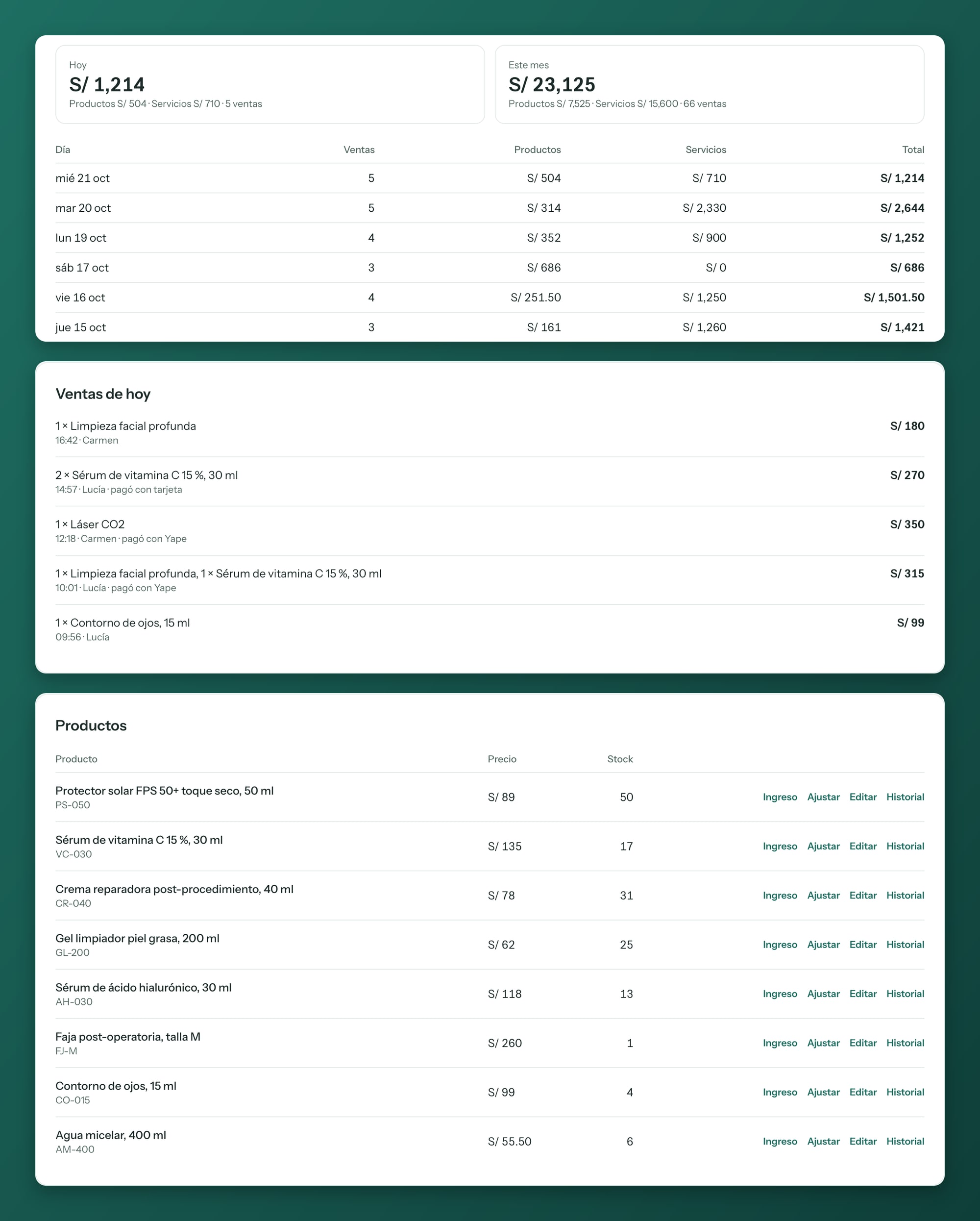
We switch it on for each clinic that asks.
The intake app is on the App Store
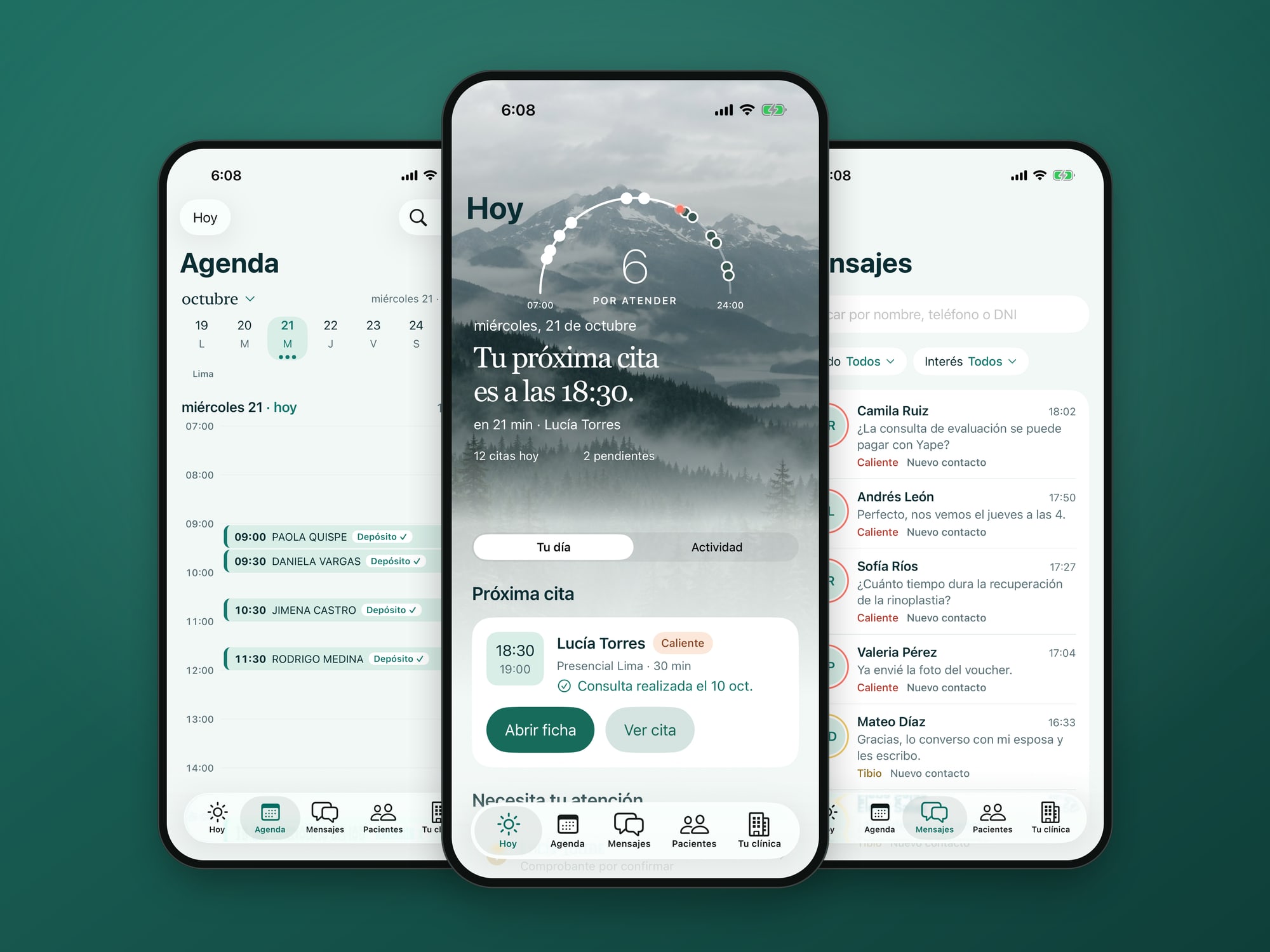
Since October 7, the intake app for iPhone can be downloaded from the App Store in Peru. You sign in with the same access as the dashboard on the computer, and the iPhone offers the password it already has saved.

We are taking new clinics again
In issue #3 we said that in mid-October we would open places for a new group of clinics. They are open now.
If you are interested, or know a colleague who wants to start, write to us.
See you next week.